Geo-Tagging Photographs
Overview
To assist people in locating graves we now request that all submitted photographs be geo-tagged.
Geo-tagging means the inclusion of latitude/longitude GPS data in each jpg file. It allows the exact position of a particular grave to be displayed on a map or located using a smartphone.
Whilst we will still accept non geo-tagged photos of smaller cemeteries or works in progress, anyone contemplating photographing a larger cemetery is asked to use geo-tagging equipment.
The benefit of geotagging can best be seen by looking at a few examples:
- Brunswick Heads Pilgrim Memorial Park on our website. Click Here to see an example.
- Sandgate Cemetery at Newcastle. Click Here to see an example.
There are three methods of geotagging photos, using a modern smartphone, using a camera with built in GPS, or using an external GPS data logger.
 |
 |
 |
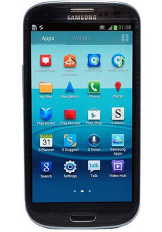
Smartphone
All modern smartphones have the ability to geo-tag photos. The US Billion Graves website only accepts photos taken with a geotagging smartphone.
Pros:
- Many people already carry one, hence no additional equipment is needed.
- Photos are automatically geotagged. No further action is needed.
Cons:
- Lack of any optical zoom on most such phones
- Using the GPS significantly increases power usage.
- Apple iPhones do not have replaceable batteries.
- Low quality lens on earlier model phones.
- No provision for mounting on a tripod.
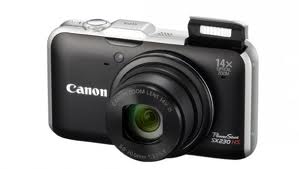
Geotagging Camera
Many modern cameras have geo-tagging capabilities built-in. See this list. (in German but the camera names are obvious).
If you are planning to upgrade your camera in the near future, and are thinking of doing some headstone photography, you should consider choosing one of those cameras.
Pros:
- Photos are automatically geotagged. No further action is needed.
- Most have a good zoom lens.
- Image quality is better than a smartphone.
- Flash is stronger than a smartphone if fill-in flash is needed.
- Tripod mount is standard.
- Can be used for all of your photography.
Cons:
- Using the GPS significantly increases power usage. You will need to purchase a couple of spare batteries (Around $10 each on eBay).
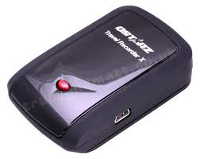
GPS Data Logger
The cheapest add-on solution is to use a portable GPS data logger. They are generally about the size of an old pager.
You simply carry it around with you as you take photographs. Every 5 seconds it automatically records the current time and the latitude and longitude.
At the end of the day you download the photos to your PC plus the log from the data logger.
Software that comes with the data logger then automatically adds the latitude/longitude from the data logger to each photo.
The software simply looks at the timestamp on each photo, looks up the GPS log and finds the nearest entry, and inserts the corresponding latitude/longitude into the jpg file.
You just need to ensure that the time on the camera is correct before you start photographing each day. The data logger gets the correct time from the satellites.
Most data loggers can store 100,000 or more entries (waypoints) before downloading. That equates to one waypoint every 5 seconds for three 9-hour days.
Pros:
- Much longer battery life than the other options. The QStarz BT-Q1000XT data logger has a 42 hour battery life.
- Can be used with any existing camera.
- Cheaper than buying a new camera. (Around $140 for the QStarz, which has been tested and works extremely well.)
Cons:
- Initial installation of the software on your PC requires some technical expertise, but only has to be done once.
- The camera clock has to be set relatively accurately.
- One extra step is required after downloading the photos onto your PC, although it works effortlessly.
Technical Details
For the technically minded, the GPS data is stored in the EXIF header in the jpg file.
To check if a photo contains GPS data, do the following (Windows Vista or later):
- Find the photo in Windows Explorer
- Right click on the photo and select Properties
- Click the Details tab
- Scroll down and look for Latitude and Longitude information
If you have an earlier version of Windows, just upload the photo to this web site to check.
